
Across projects
QaCockpit for Azure DevOps
One quality picture across your Azure DevOps projects and pipelines.
Bring pipeline health, automated test results, evidence gaps, recurring failures, and regression reports into one connected view. Follow every signal back to its exact Azure DevOps run.
60-day evaluation · No card · No automatic renewal · Works inside Azure DevOps
QaCockpit for Azure DevOps
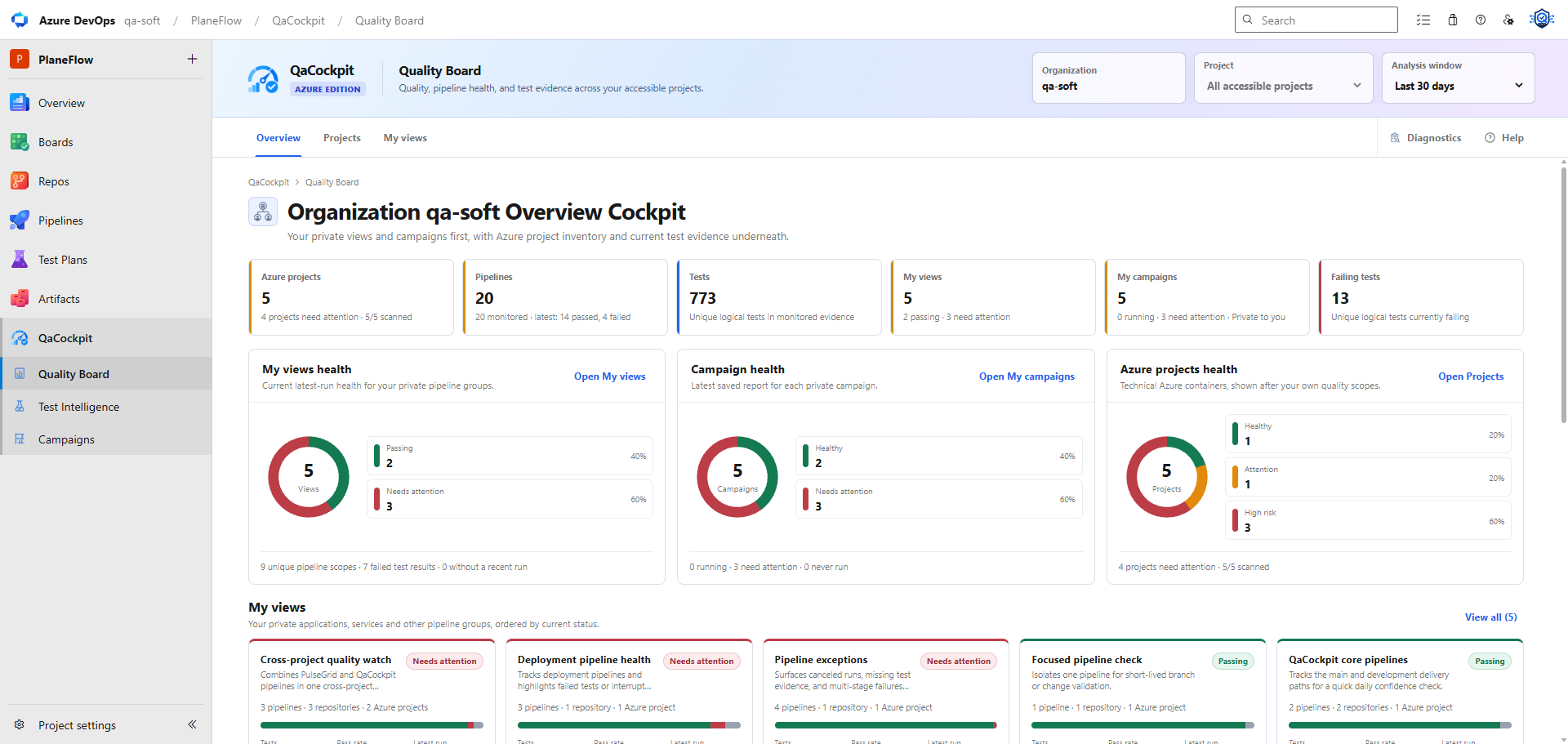
Cross-pipeline evidence visibility
See cross-pipeline evidence in one connected view.
Choose the projects and pipelines that matter. QaCockpit brings their current evidence together while keeping every summary connected to its Azure source.
Across pipelines
Group the automation that matters
Bring UI, API, integration, smoke, and regression pipelines into your own private views.Across executions
Keep every signal traceable
Follow summaries back to the exact Azure run, branch, commit, and available test results.Across failures
Investigate without rebuilding context
Review current and repeated failures with the execution evidence available in Azure DevOps.My views
Create your own cross-project Azure DevOps views.
Group the pipelines that matter to your product, release, or team, even when they live in different accessible Azure DevOps projects. Each view remains private to the signed-in user.
See how the Azure DevOps edition works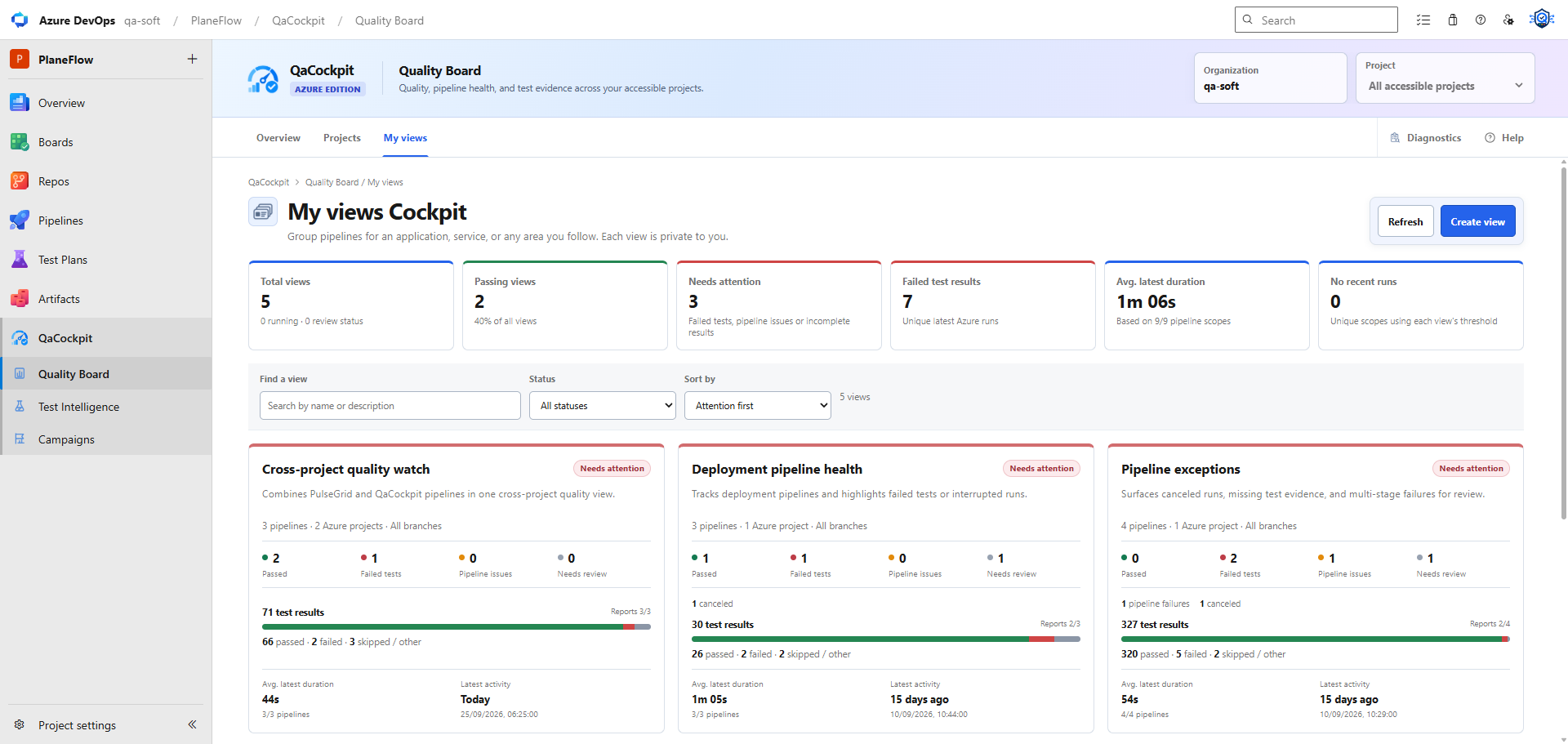
From the quality picture to exact evidence
Review regressions, failures, and test history in context.
QaCockpit organizes the evidence available in Azure DevOps. Your team decides what it means for the product or release.
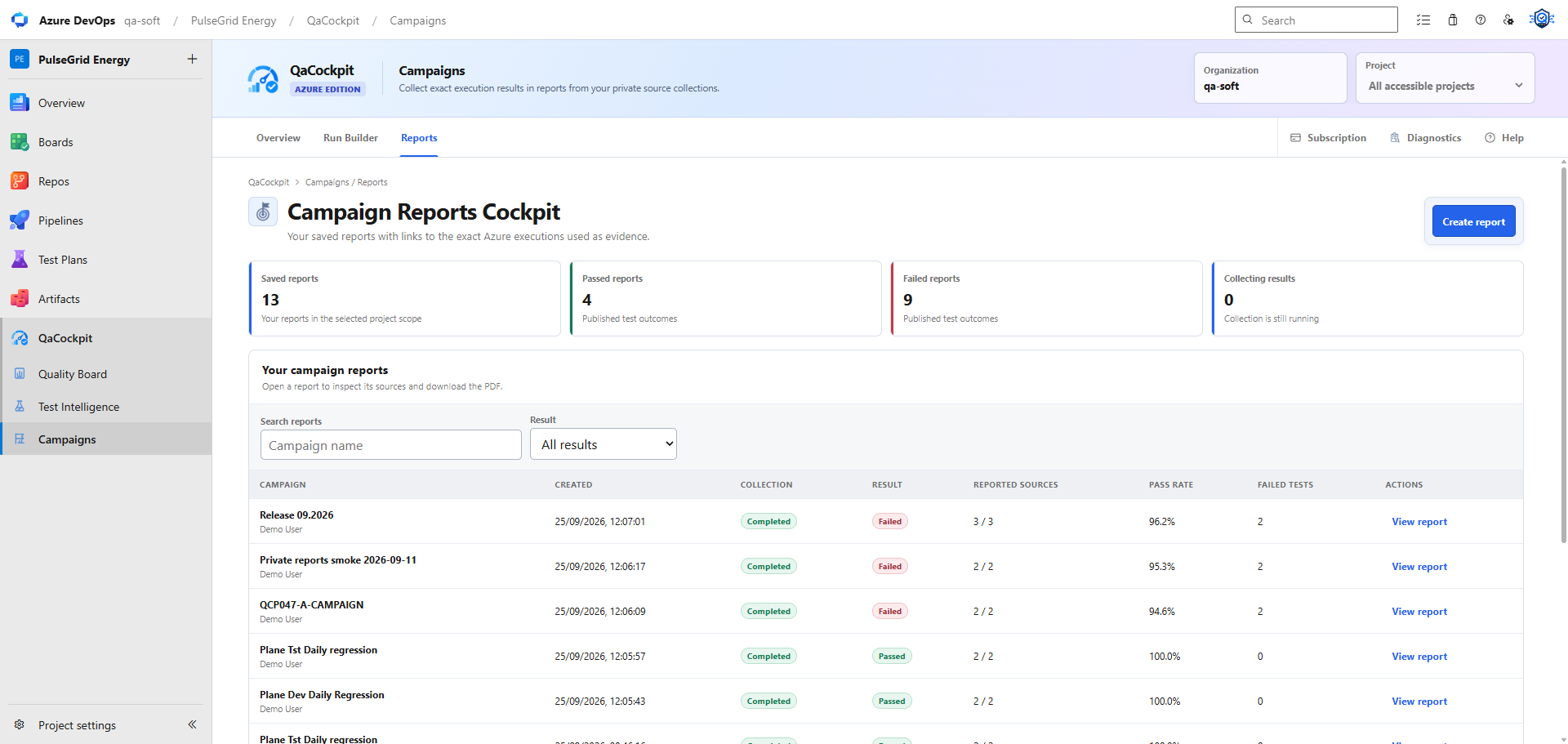
Regression campaigns
Prepare one report from several pipelines
Reuse a private source selection, choose exact completed executions, and run a pipeline only when new evidence is needed.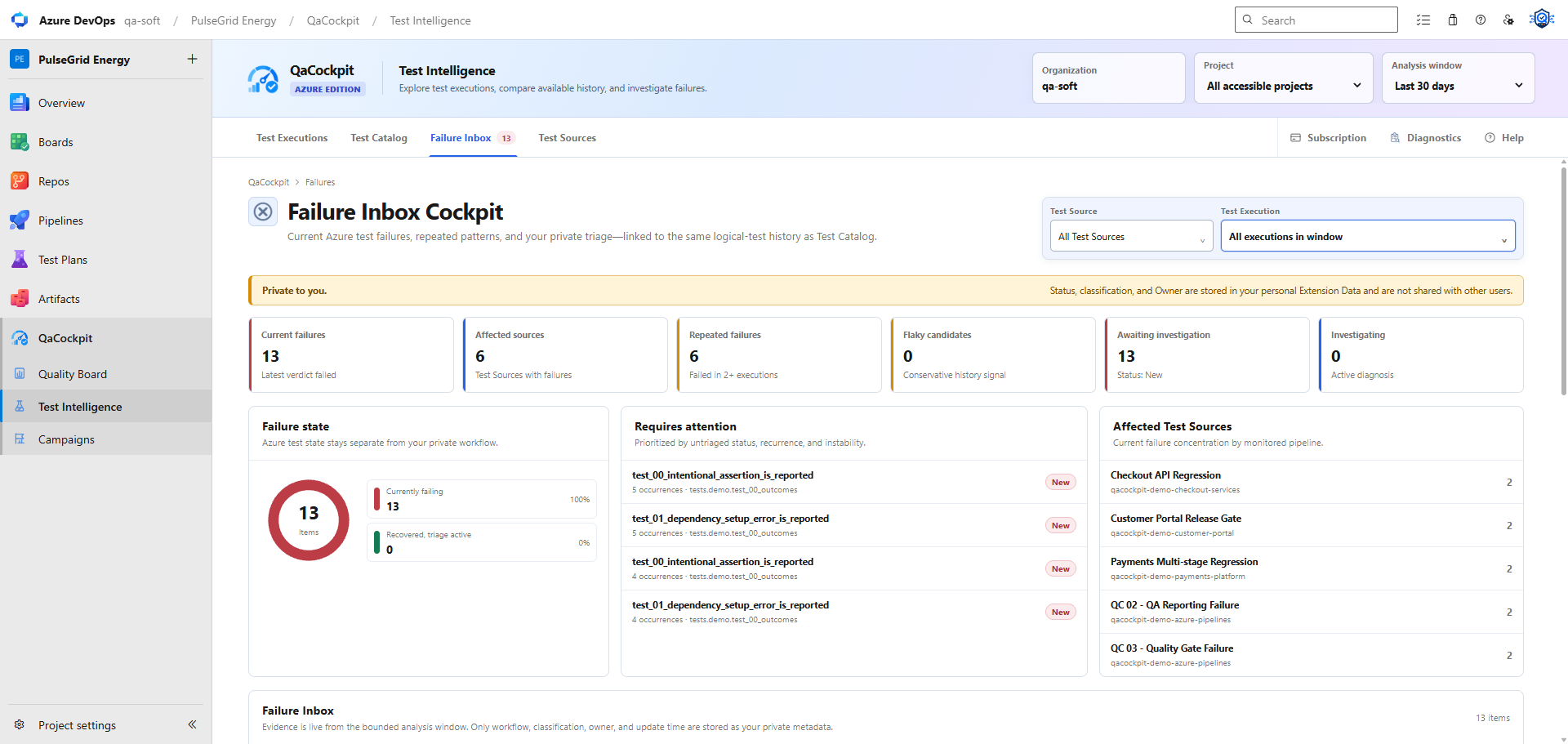
Failure Inbox
Keep recurring failures ready to investigate
Review failing tests and maintain your private Status, Classification, and Owner beside the available Azure evidence.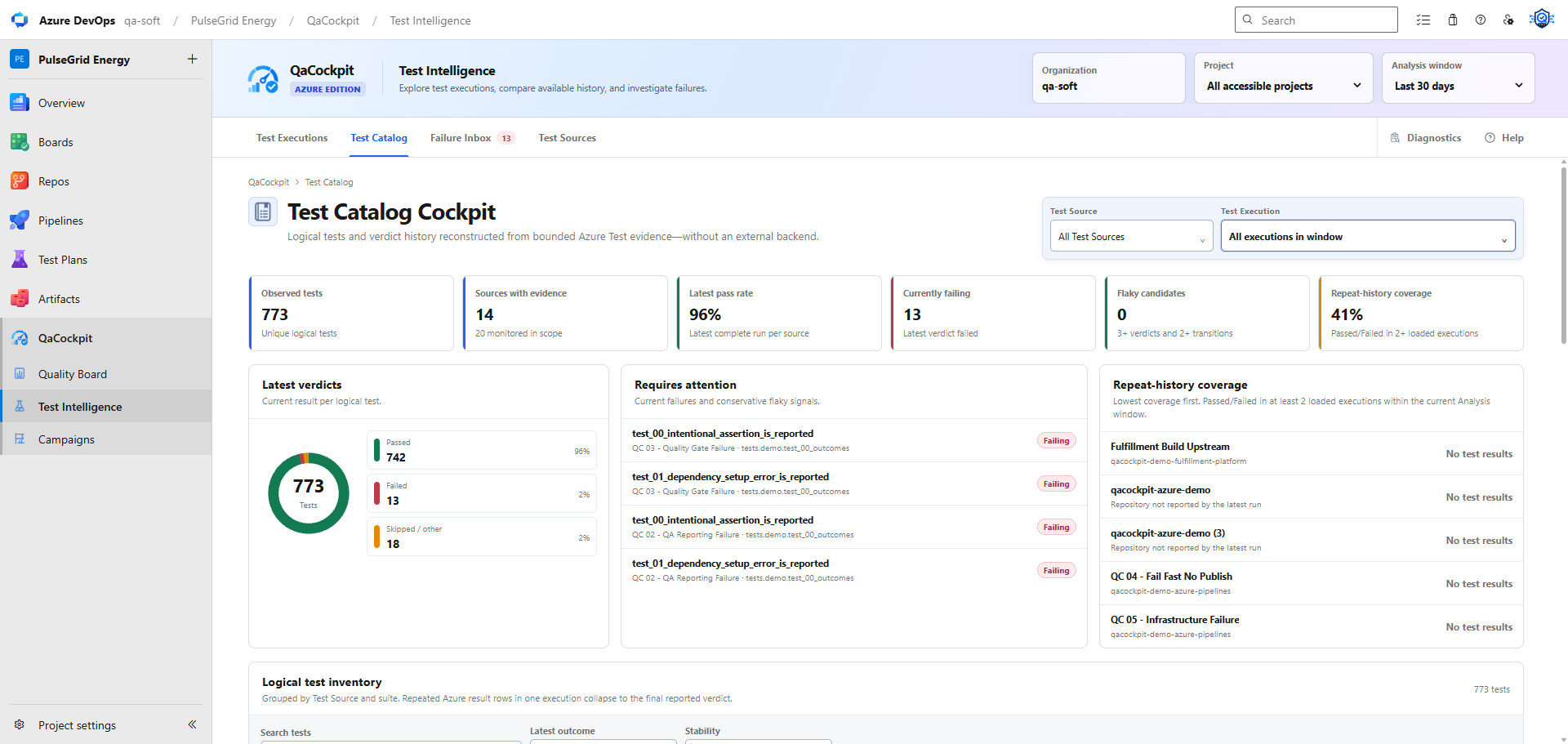
Test Catalog
Explore the tests observed in your pipelines
Compare latest outcomes, current failures, flaky candidates, and repeat-history coverage within the selected analysis window.Azure remains the system of record
Keep your repositories, pipelines, identity, and permissions.
The normal extension workflow runs inside Azure DevOps and does not require a separate QaCockpit Cloud workspace.
Review permissions and data handlingQaCockpit for Azure DevOps
Bring your Azure DevOps quality picture together.
Install the extension and start a 60-day organization evaluation without a card or automatic renewal.